[iOS SwiftUI] 레이아웃: VStack, HStack
VStack와 HStack은 기본 레이아웃 요소다.
VStack
V는 Vertical이다.
VStack은 세로로 컴포넌트를 쌓는다.
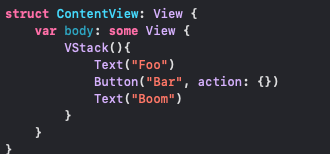
그럼 이런식으로 렌더링이 될 것이다.
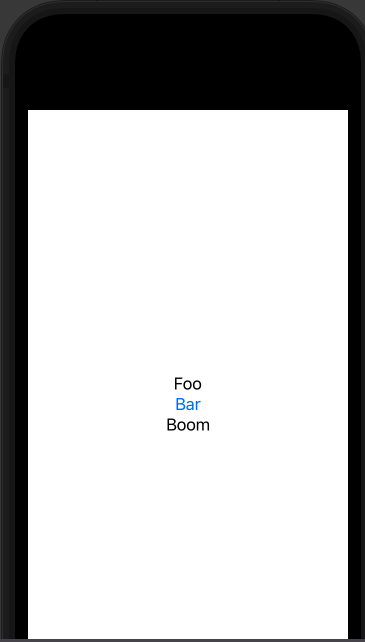 간단하다.
간단하다.
만약 요소간에 간격을 주고, 왼쪽정렬을 하고 싶다면 다음과 같이 옵션값을 줄 수 있다.
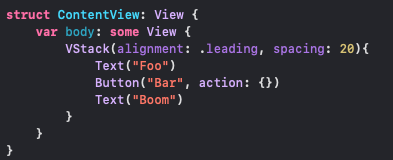 leading은 왼쪽정렬, spacing이 간격값이다.
그럼 이렇게 바뀌어 보일 것이다.
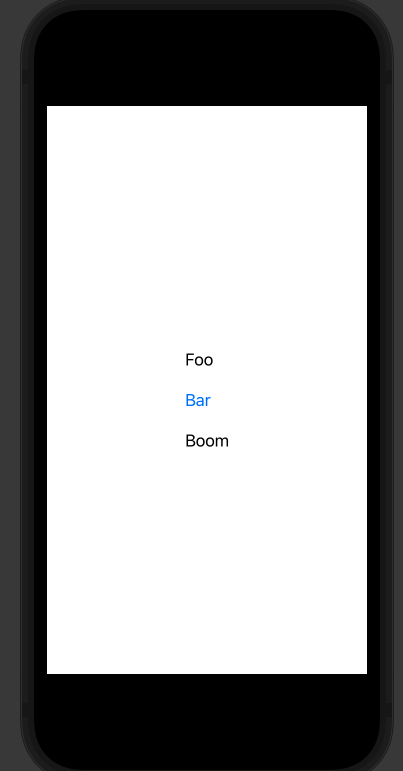
alignment 값은 이렇게 3가지가 있다.
extension HorizontalAlignment {
    /// A guide marking the leading edge of the view.
    public static let leading: HorizontalAlignment

    /// A guide marking the horizontal center of the view.
    public static let center: HorizontalAlignment

    /// A guide marking the trailing edge of the view.
    public static let trailing: HorizontalAlignment
}
문서
https://developer.apple.com/documentation/swiftui/vstack
HStack
H는 horizontal의 H다.
HStack은 가로로 요소를 배열한다는 것만 빼면 VStack과 거의 동일하다.
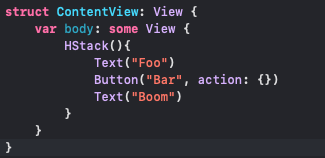
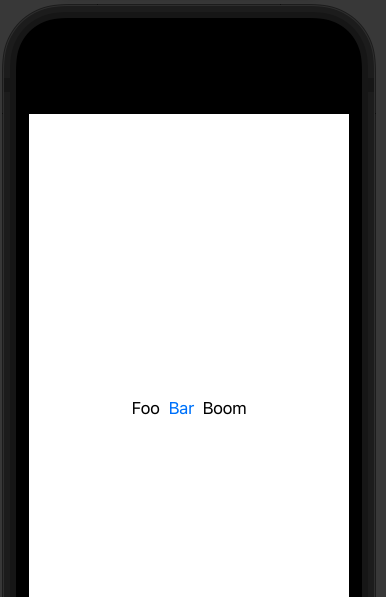
만약 내부 요소들의 크기가 다를때, 전부 아래로 깔게 하고 싶다면 bottom 옵션을 주면 된다.
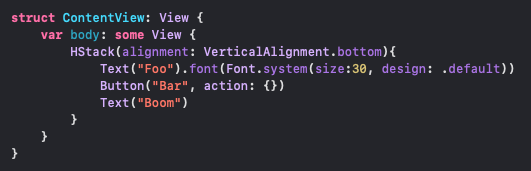
이렇게
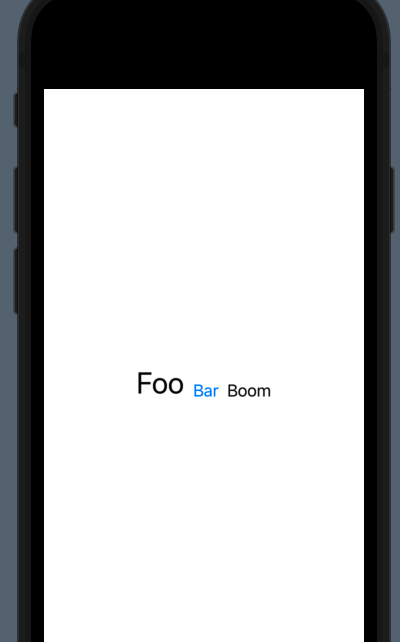
정렬 옵션값은 이렇게 제공된다.
extension VerticalAlignment {

    /// A guide marking the top edge of the view.
    public static let top: VerticalAlignment

    /// A guide marking the vertical center of the view.
    public static let center: VerticalAlignment

    /// A guide marking the bottom edge of the view.
    public static let bottom: VerticalAlignment

    /// A guide marking the topmost text baseline view.
    public static let firstTextBaseline: VerticalAlignment

    /// A guide marking the bottom-most text baseline in a view.
    public static let lastTextBaseline: VerticalAlignment
}
문서
https://developer.apple.com/documentation/swiftui/hstack
참조
https://huniroom.tistory.com/entry/SwiftUI-alignment-%EC%A0%95%EB%A6%AC