[Github] Action으로 커버리지 측정 자동화하기 (Rust)
이전 포스트
https://blog.naver.com/sssang97/222978542288
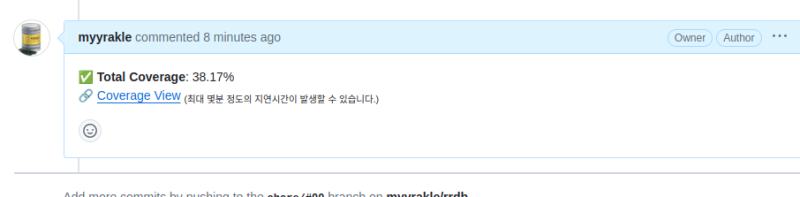 PR 돌릴 때마다 테스트 커버리지 돌려서 커버리지를 보고해주는 시스템을 만들었다.
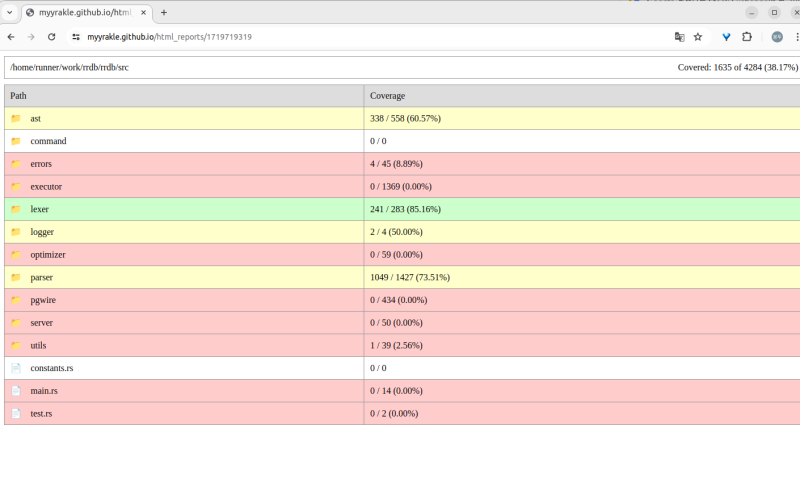 링크 타고 들어가면 tarpaulin 자체 포맷으로 UI 조회도 가능하다.
구성
내 경우에는 액션 워크플로 돌떄마다 커버리지 웹뷰를 별도의 static page용 repo에 push하고 그걸 띄우는 형태로 응용해서 저걸 구현했다.
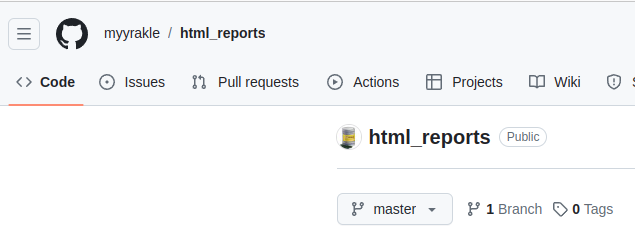
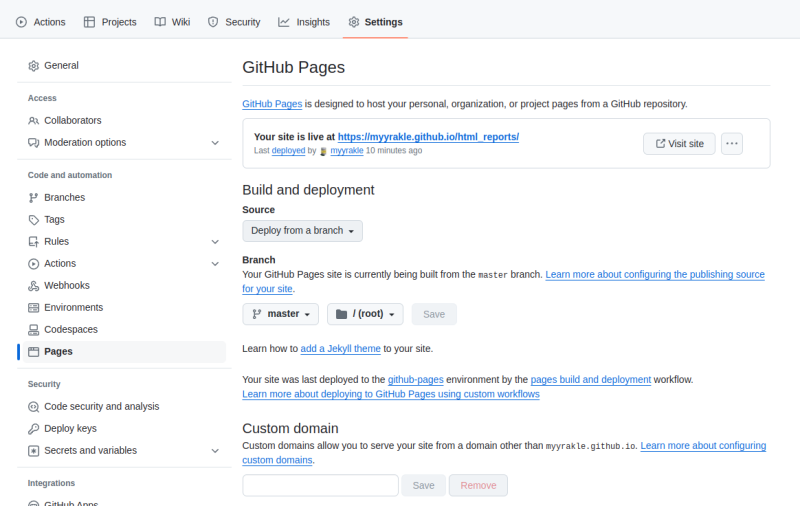 전용 페이지 레포 만들어서 Page 활성화하고,
이런식으로 워크플로를 구성했다.
name: Test & Coverage

on:
  pull_request:

permissions:                # Job-level permissions configuration starts here
  contents: write           # 'write' access to repository contents
  pull-requests: write      # 'write' access to pull requests

jobs:
  check:
    name: Rust project
    runs-on: ubuntu-latest
    steps:
      - name: Checkout repository
        uses: actions/checkout@v4
        with:
          persist-credentials: false

      - uses: actions-rs/toolchain@v1
        with:
          toolchain: stable

      - name: Cache Cargo's directories
        uses: actions/cache@v4
        with:
          save-always: true
          key: ${{ runner.os }}-coverage-${{ hashFiles('Cargo.lock') }}
          path: |
            ./target
            ~/.cargo
            ~/.cargo/registry
            ~/.cargo/git
            ~/.cargo/bin/
            ~/.cargo/registry/index/
            ~/.cargo/registry/cache/
            ~/.cargo/git/db/

      - name: Install cargo-tarpaulin
        run: cargo install cargo-tarpaulin

      - name: Run cargo-tarpaulin
        run: |
          cargo tarpaulin -l --out Html | tail -n 1 | grep -o '[^+][0-9]\+\.[0-9]\+%' > coverage_total_percent.txt

      - name: Set coverage env variable
        run: |
          echo "COVERAGE=$(cat coverage_total_percent.txt)" >> $GITHUB_ENV

      - name: Clone html_reports repository
        run: |
          git clone https://github.com/myyrakle/html_reports

      - name: Generate Random Name
        run: |
          echo "REPORT_NAME=$(date +%s)" >> $GITHUB_ENV

      - name: Copy coverage report
        run: |
          cp ./tarpaulin-report.html ./html_reports/${{ env.REPORT_NAME }}.html |
          cd ./html_reports

      - name: Add
        working-directory: html_reports
        run: |
          git add .

      - name: Commit
        working-directory: html_reports
        run: |
          git config --global user.email "sssang97@naver.com" |
          git config --global user.name "myyrakle" |
          git commit -m "Add report"

      - name: Push changes
        uses: ad-m/github-push-action@master
        with:
          github_token: ${{ secrets.GH_TOKEN }}
          directory: html_reports
          repository: myyrakle/html_reports
          force: true
          ref: master

      - name: Add comment to PR
        uses: thollander/actions-comment-pull-request@v1
        with:
          GITHUB_TOKEN: ${{ secrets.GH_TOKEN }}
          message: |
            ✅ **Total Coverage**: ${{ env.COVERAGE }}
            🔗 [Coverage View](https://myyrakle.github.io/html_reports/${{ env.REPORT_NAME }}) <sub>(최대 몇분 정도의 지연시간이 발생할 수 있습니다.)</sub>
이걸 쓰고 싶다면
- repository: myyrakle/html_reports 이걸 직접 만들어서 넣어주고
- [Coverage View](https://myyrakle.github.io/html_report... 이거도 레포 구성에 따라서 맞춰주고
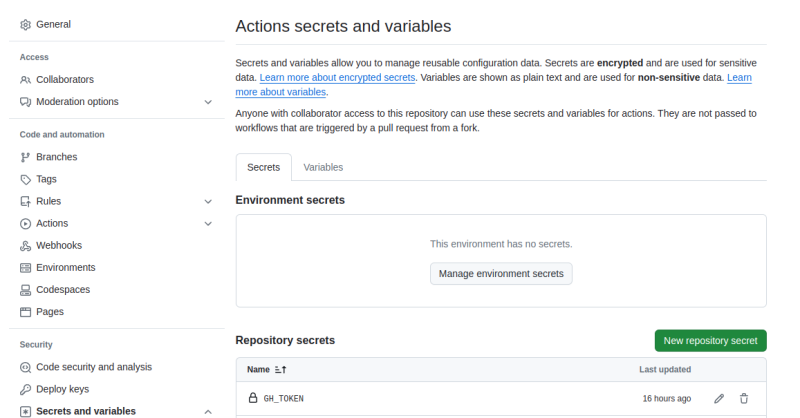
- GH_TOKEN 시크릿도 적절히 넣어주면 된다.
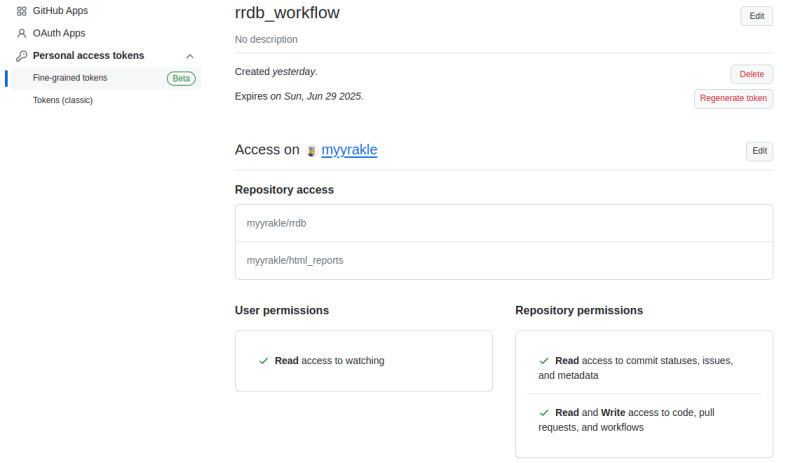 내 경우에는 이정도 권한만 넣어줬다.
Content Write, PR Write, Workflow Write