[Rust] iced: 레이아웃 기본
0.13 버전 기준이다.
iced의 레이아웃 기본요소에는 Container, Column, Row 3가지가 있다.
아래는 기본 코드 템플릿이다.
use iced::widget::{container, text};
use iced::{Background, Color, Element, Length, Settings, Size};

pub struct MainApp {}

#[derive(Debug, Clone)]
pub enum Message {}

impl MainApp {
    pub fn new() -> Self {
        let app = Self {};

        app
    }
    pub fn theme(&self) -> iced::Theme {
        iced::Theme::Dracula
    }

    pub fn update(&mut self, message: Message) {
        match message {}
    }

    pub fn view(&self) -> Element<Message> {
        let content = container(text("test"))
            .height(Length::Fill)
            .width(Length::Fill)
            .style(|_| {
                let mut style = container::Style::default();

                style.background = Some(Background::Color(Color::from_rgb8(255, 0, 0)));

                style
            })
            .into();

        content
    }
}

impl Default for MainApp {
    fn default() -> Self {
        Self::new()
    }
}

fn main() -> iced::Result {
    let setting = Settings::default();

    iced::application("test", MainApp::update, MainApp::view)
        .settings(setting)
        .resizable(false)
        .window_size(Size::new(600.0, 600.0))
        .theme(MainApp::theme)
        .run()
}
Container
Container는 가장 기본이 되는 레이아웃 단위고, HTML의 div와 거의 같다고 봐도 된다.
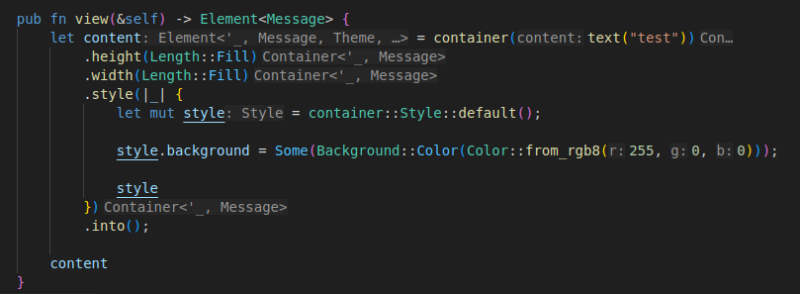 여기서 볼건 view 부분이다.
Container를 하나 생성해서 반환하고 있는데, 이 경우에는 화면에 꽉 차도록 height, width 설정을 주고, style을 통해서 색상을 주입해줬다.
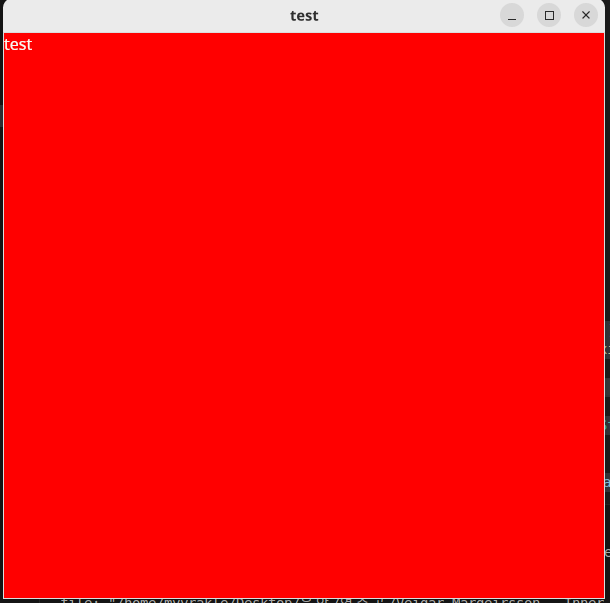 그러면 이렇게 시뻘겋게 될 것이다.
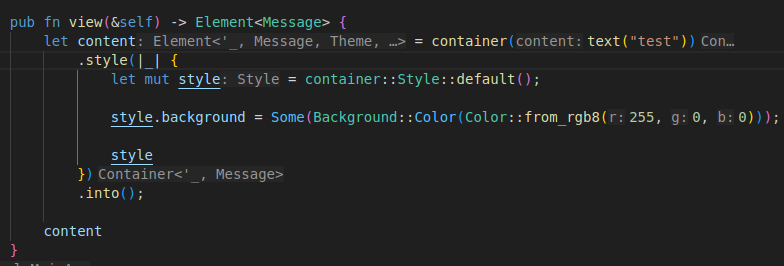
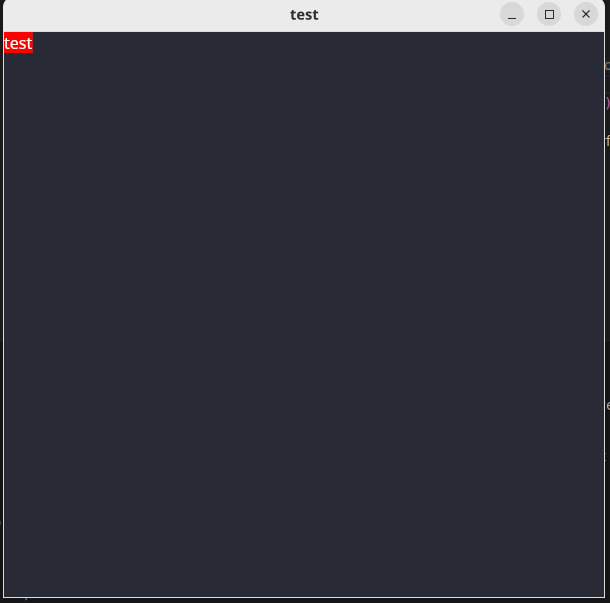 사이즈를 지정하지 않는다면 Container는 자식 컴포넌트들의 크기에 맞춰서 Shrink하게 렌더링된다.
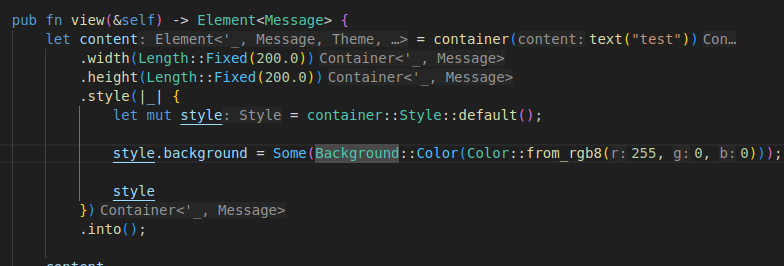
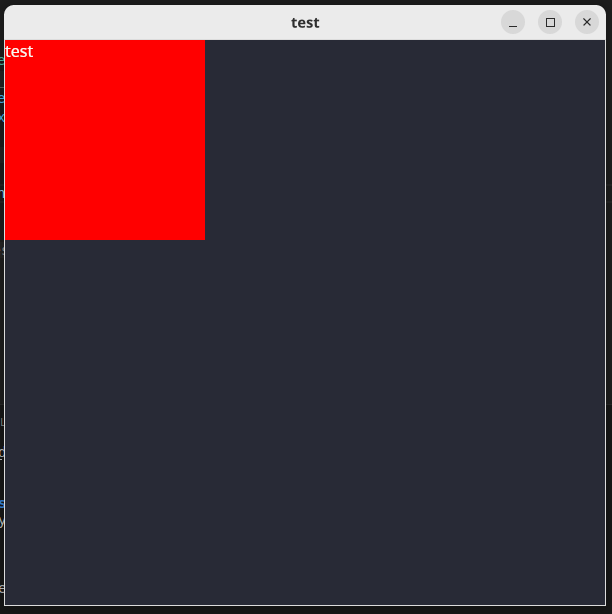 고정 크기로 만들 수도 있다.
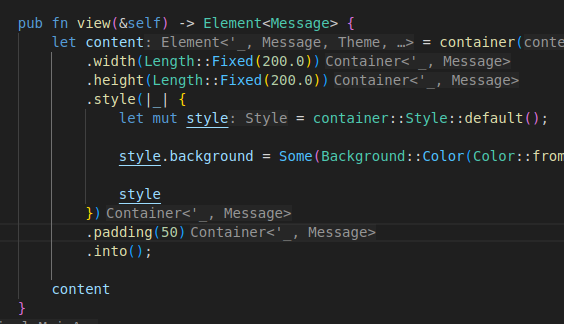
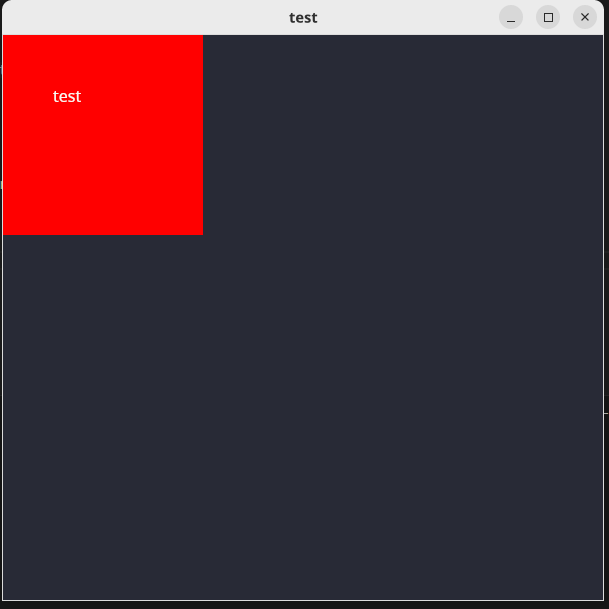 대부분의 레이아웃 구성요소들에는 padding이라는 옵션이 존재한다.
다른 언어에서 사용하는 패딩과 개념이 거의 같다. 해당 컴포넌트 내부에 여백을 두는 것이다.
자식 컴포넌트들을 정렬하는 옵션도 있다. align으로 시작하는 메서드들을 호출하고, 다음과 같이 정렬 속성을 넘기면 된다.
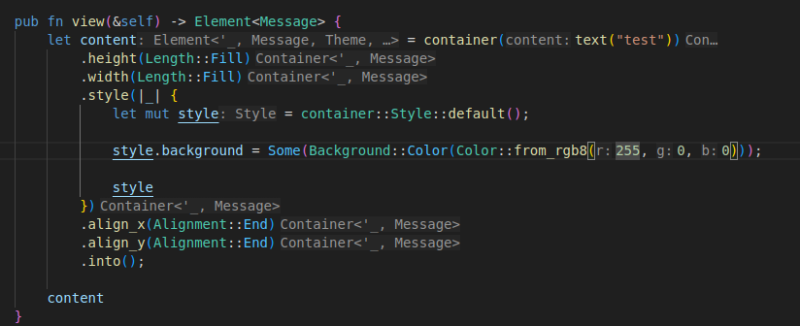
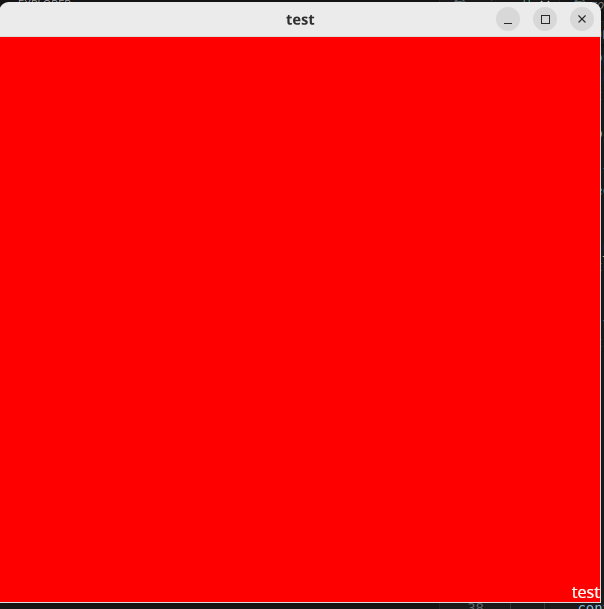 이러면 x, y 좌표 기준으로 끝이니, 맨 바닥 오른쪽으로 정렬이 된다.
그런데 Container는 단일구성요소라서 이것만으로는 그럴듯한 레이아웃 배치를 이룰 수는 없다.
자식 컴포넌트들을 그룹화해서 관리하려면 Row와 Column이 필요하다.
Column 컴포넌트
이건 자식 컴포넌트를 세로로 배치하는 그룹 컴포넌트다.
이번에는 Column을 사용해서 컨테이너 내에 3개의 또다른 컨테이너를 배치해보겠다.
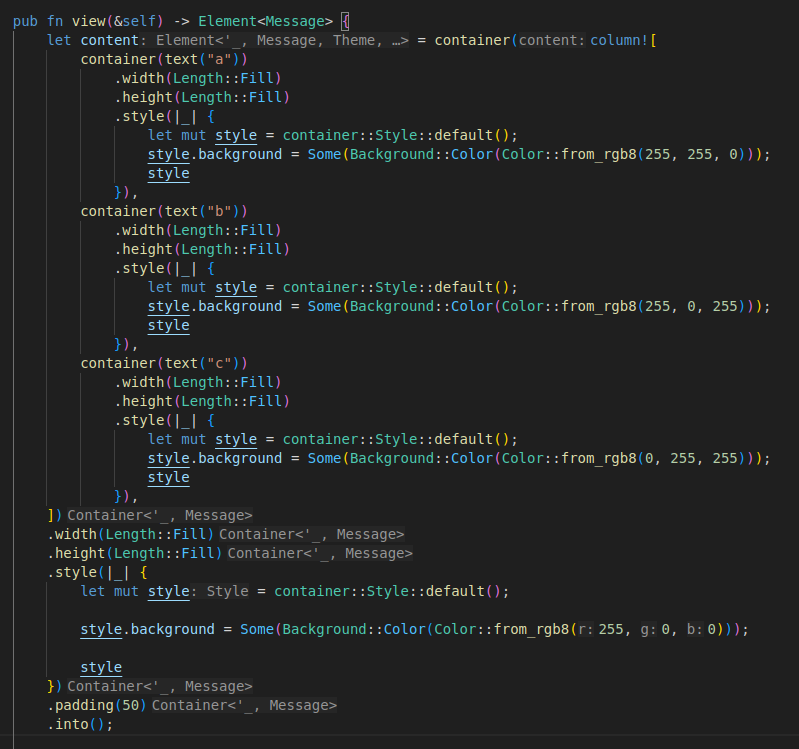
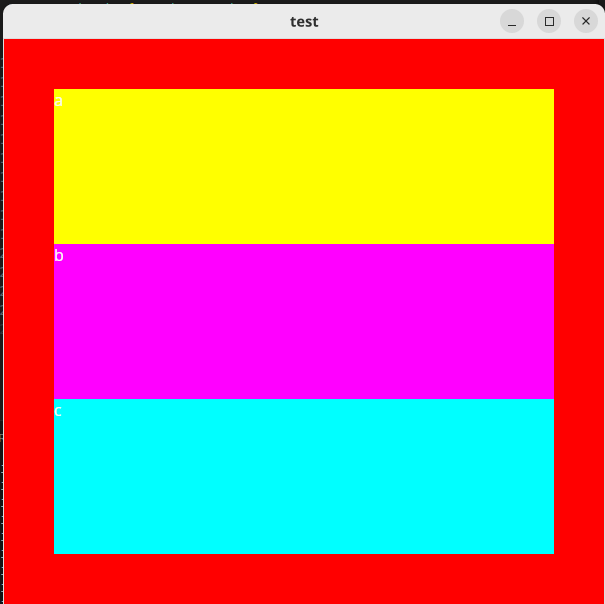 그럼 이런 식으로 쭉 나열된다.
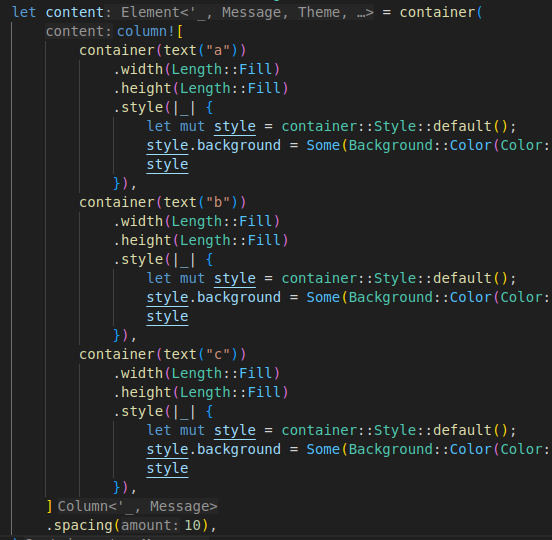
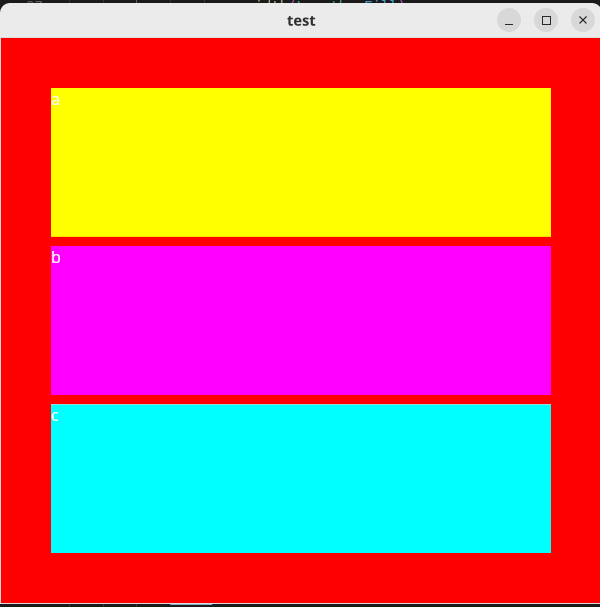 spacing을 주면 자식 컴포넌트들 사이에 간격을 줄 수 있다.
Row 컴포넌트
이건 자식 컴포넌트들을 묶어서 가로로 배치되게 할 수 있는 레이아웃 컴포넌트다. column과 사용법은 거의 같다.
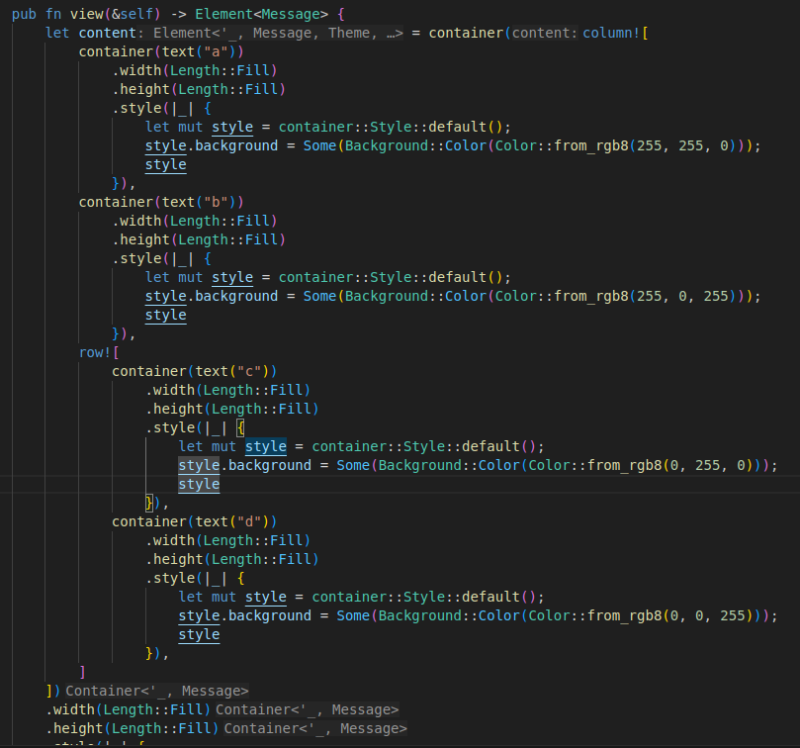
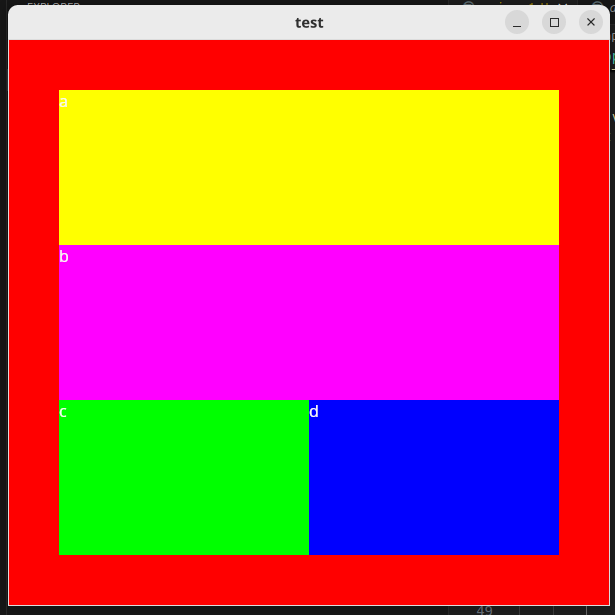 그럼 이렇게 예쁘게 표시된다.
예시 코드
use iced::widget::{column, container, row, text};
use iced::{Alignment, Background, Color, Element, Length, Settings, Size};

pub struct MainApp {}

#[derive(Debug, Clone)]
pub enum Message {}

impl MainApp {
    pub fn new() -> Self {
        let app = Self {};

        app
    }
    pub fn theme(&self) -> iced::Theme {
        iced::Theme::Dracula
    }

    pub fn update(&mut self, message: Message) {
        match message {}
    }

    pub fn view(&self) -> Element<Message> {
        let content = container(column![
            container(text("a"))
                .width(Length::Fill)
                .height(Length::Fill)
                .style(|_| {
                    let mut style = container::Style::default();
                    style.background = Some(Background::Color(Color::from_rgb8(255, 255, 0)));
                    style
                }),
            container(text("b"))
                .width(Length::Fill)
                .height(Length::Fill)
                .style(|_| {
                    let mut style = container::Style::default();
                    style.background = Some(Background::Color(Color::from_rgb8(255, 0, 255)));
                    style
                }),
            row![
                container(text("c"))
                    .width(Length::Fill)
                    .height(Length::Fill)
                    .style(|_| {
                        let mut style = container::Style::default();
                        style.background = Some(Background::Color(Color::from_rgb8(0, 255, 0)));
                        style
                    }),
                container(text("d"))
                    .width(Length::Fill)
                    .height(Length::Fill)
                    .style(|_| {
                        let mut style = container::Style::default();
                        style.background = Some(Background::Color(Color::from_rgb8(0, 0, 255)));
                        style
                    }),
            ].align_y(align),
        ])
        .width(Length::Fill)
        .height(Length::Fill)
        .style(|_| {
            let mut style = container::Style::default();

            style.background = Some(Background::Color(Color::from_rgb8(255, 0, 0)));

            style
        })
        .padding(50)
        .into();

        content
    }
}

impl Default for MainApp {
    fn default() -> Self {
        Self::new()
    }
}

fn main() -> iced::Result {
    let setting = Settings::default();

    iced::application("test", MainApp::update, MainApp::view)
        .settings(setting)
        .resizable(false)
        .window_size(Size::new(600.0, 600.0))
        .theme(MainApp::theme)
        .run()
}