[Redis] 메모리 사용량 프로파일링
Redis에는 일반적인 데이터베이스들처럼 객관화된 사용 지표 같은건 없다. 그런게 필요하다면 뻘짓을 좀 하고, DB에도 부하가 가해진다.
그래서 Redis를 쓴다면, 애초에 사용할때부터 신중하게 만료시간과 데이터 누적 수준을 고려할 필요가 있다.
전체 메모리 사용량을 조회하려면, INFO MEMORY 명령을 사용하면 된다.
redis-cli INFO memory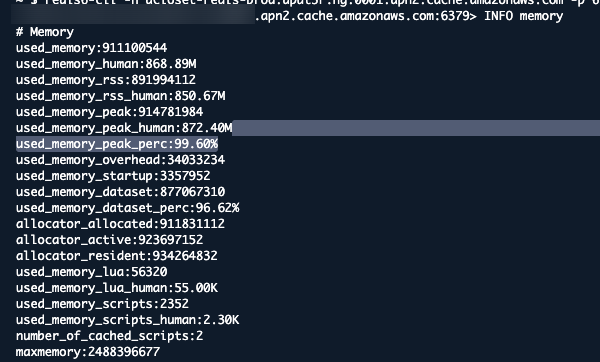 근데 이게 도움이 될 일은 별로 없다. 전체 메모리 정보 본다고 실제 사용 패턴을 파악할 수가 있겠는가?
메모리 통계도 있긴 한데, 이거도 별 의미는 없다.
MEMORY STATS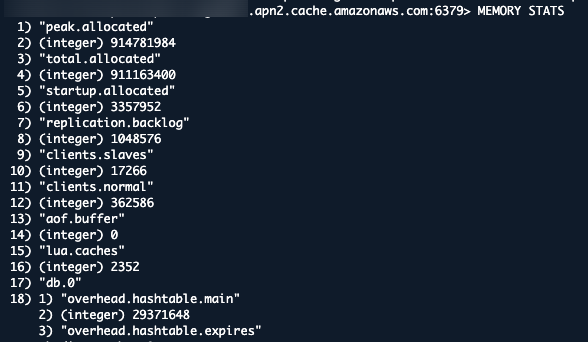 이 기능들의 실사용례는 메모리 꽉찼을때쯤 경보 날려주는 것 정도밖엔 없다.
큰 키값들을 약간 분석하게 해주는 명령이 하나 있긴 하다.
redis6-cli -h ... -p 6379 --bigkeys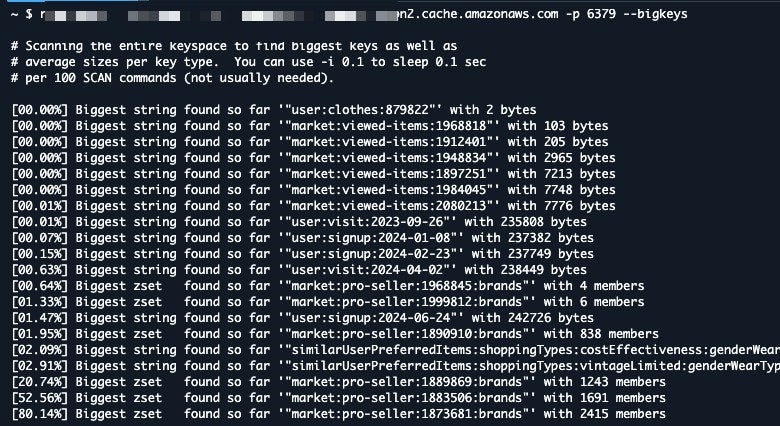 근데 이것도 좀 애매한건 마찬가지다.
이건 단일 키의 값이 큰것만 가져오는 거라서, 임의의 키값 그룹이 차지하는 용량 같은건 알 수가 없다.
애초에 테이블 같은 정규화된 최소 단위조차 없어서 생기는 문제고, 어떻게 할 방법도 없다.
그래서 사실 제대로 사용량을 조회하려면 모든 키를 풀스캔하는 수밖에 없다.
운영중이라면 좀 날리기에 부담이 될 수도 있긴 한데...
어쨌든 다음은 적당히 뽑아서 csv로 만들어주는 파이썬 코드다.
import redis
import csv
from typing import Dict

REDIS_HOST = 'localhost'

def get_redis_memory_usage() -> Dict[str, int]:
    """
    Connect to Redis and get memory usage for all keys
    Returns a dictionary mapping key names to their memory usage in bytes
    """
    # Initialize Redis connection
    # Note: Update these parameters based on your Redis configuration
    r = redis.Redis(
        host=REDIS_HOST,
        port=6379,
        decode_responses=True
    )

    # Get all keys
    keys = r.keys('*')

    print("key count", len(keys))

    # Get memory usage for each key
    memory_usage = {}
    i = 0
    for key in keys:
        i += 1
        print("In Progress", i, '/', len(keys))

        try:
            # MEMORY USAGE command returns the number of bytes used to store the key
            mem = r.memory_usage(key)
            if mem is not None:
                memory_usage[key] = mem
        except redis.exceptions.ResponseError as e:
            print(f"Error getting memory usage for key {key}: {e}")

    return memory_usage

def save_to_csv(memory_usage: Dict[str, int], output_file: str = 'redis_memory_usage.csv'):
    """
    Save the memory usage data to a CSV file
    Args:
        memory_usage: Dictionary mapping keys to their memory usage
        output_file: Path to the output CSV file
    """
    with open(output_file, 'w', newline='') as f:
        writer = csv.writer(f)
        # Write header
        writer.writerow(['Key', 'Memory Usage (bytes)'])
        # Write data
        for key, usage in memory_usage.items():
            writer.writerow([key, usage])

def main():
    try:
        # Get memory usage for all keys
        memory_usage = get_redis_memory_usage()

        # Save results to CSV
        save_to_csv(memory_usage)

        print(f"Successfully saved memory usage data for {len(memory_usage)} keys")

    except Exception as e:
        print(f"Error: {e}")

if __name__ == "__main__":
    main()
깔고 돌리면
vi main.py
pip install redis
python main.py
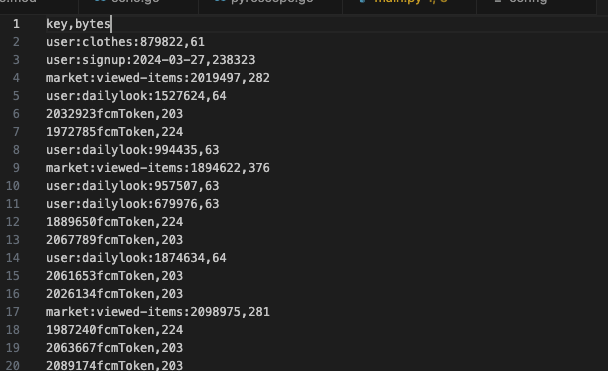 이렇게 뽑아준다.
적당히 어디 DB에 넣고 통계 돌려보면서 파악해보면 된다.
Redis에서는 이게 최선이다.