[Linux] systemd: 시간제 데몬 만들기
https://blog.naver.com/sssang97/223374364520
systemd는 자체적으로 cron과 비슷한 타이머 기반 스케줄링 기능을 제공한다.
특히 종속성이나 시스템 상태에 따른 처리가 용이하기 때문에, 여러모로 cron보다도 강력하다고 할 수 있다.
그래서 이걸 잘 쓰면 특정 시간에만 동작하는 데몬을 만들 수 있다.
예를 들어, 부하의 문제로 한국 시간 0-9시 사이에만 동작해야 하는 데몬을 만들어야 한다고 가정해보자.
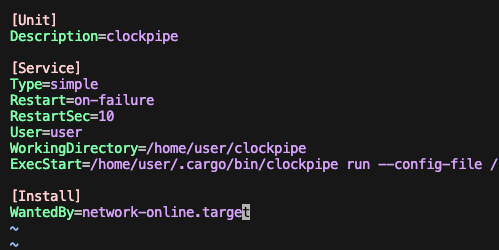 지금 시간제로 바꿔야 하는 데몬은 clockpipe라는 서비스다.
이걸 systemd timer로 제어하려면 시작용 job/timer 한쌍과, 종료용 job/timer 한쌍이 필요하다.
duration 기반의 제어시스템은 없기 때문이다.
시작/종료용 job service 세팅
자, 먼저 시작과 종료를 제어하는 job을 만들어보자. 어떤 명령을 수행할지만 담당하는 단순 스크립트다.
Timer에는 직접 명령을 등록하지 못하고, Timer->Service 형태로 트리거해야 하기 때문에 따로 일회성 job service가 필요하다.
# sudo vim /etc/systemd/system/clockpipe-start.service
[Unit]
Description=start clockpipe service

[Service]
Type=oneshot
ExecStart=/bin/systemctl start clockpipe

[Install]
WantedBy=multi-user.target
# sudo vim /etc/systemd/system/clockpipe-stop.service
[Unit]
Description=stop clockpipe service
[Service]
Type=oneshot
ExecStart=/bin/systemctl stop clockpipe
[Install]
WantedBy=multi-user.target적당히 시작하고 멈추는 동작을 정의했다.
시작/종료용 timer 세팅
이번에는 타이머를 세팅해보자. 어렵지는 않다.
# sudo vim /etc/systemd/system/clockpipe-start.timer
[Unit]
Description=clockpipe timer for start (KST)

[Timer]
# 매일 0시 (한국 시간)
OnCalendar=*-*-* 00:00:00 KST
Persistent=true
Unit=clockpipe-start.service

[Install]
WantedBy=timers.target
# sudo vim /etc/systemd/system/clockpipe-stop.timer
[Unit]
Description=clockpipe timer for stop (KST)
[Timer]
# 매일 9시 (한국 시간)
OnCalendar=*-*-* 09:00:00 KST
Persistent=true
Unit=clockpipe-stop.service
[Install]
WantedBy=timers.target크론 표현식 비스무리하게 트리거 시간을 지정하고, Unit 절로 트리거할 job service를 설정하면 된다.
다 잘 썼으면 enable로 데몬을 등록하면 끝이다.
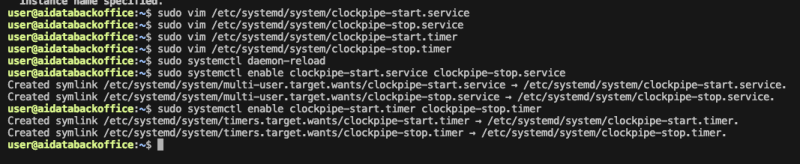
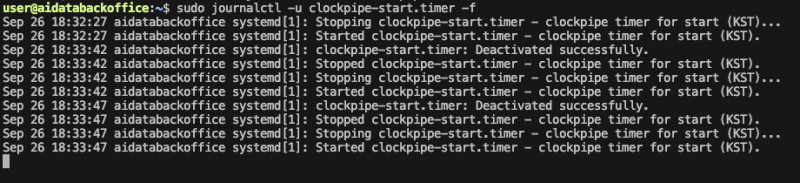
이러면 자정 - 0시마다 시작되고, 9시에 종료되는 데몬 구성이 만들어지는 것이다.