[k3s] Traefik Ingress Controller
k3s는 기본적으로 Traefik을 Ingress Controller로 포함하고 있다.
반드시 이걸 써야하는건 아니지만, 이를 통해서 로드밸런서나 API Gateway로 활용할 수 있다.
Traefik에 External IP 할당 (with MetalLB)
traefik은 추가 설정 없이는 외부로 공개되지 않는다.
애초에 IP를 열고 실제 바깥세상과 연결되는 것은 쿠버네티스의 기본 역할이 아니기 때문이다.
클라우드 환경이라면 그냥 거기서 제공하는 LB를 쓰면 되고,
일반적인 온프레미스 환경이라면, MetalLB를 통해 외부 IP 할당 환경을 구성하는 것을 추천한다.
https://blog.naver.com/sssang97/223330537493
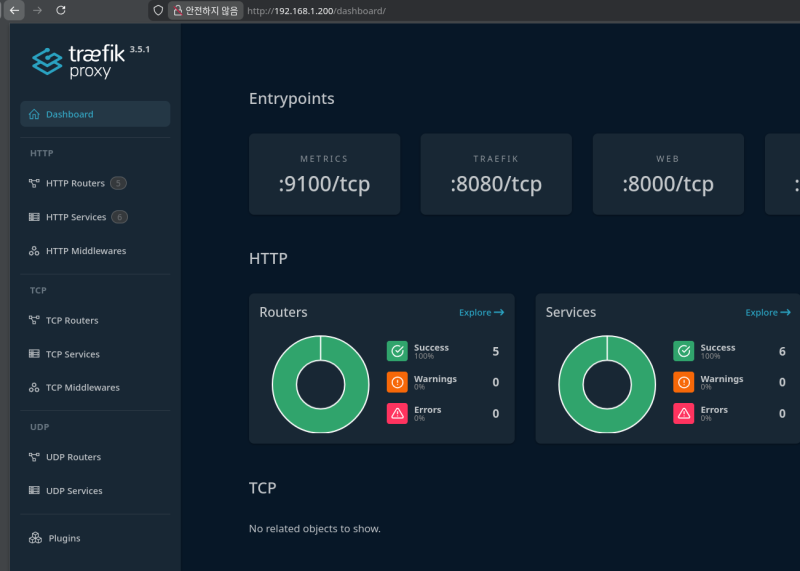
MetalLB 구성이 잘 되었다면, traefik service도 LB 타입이므로 자동으로 IP 할당이 되어있을 것이다.

그럼 열린 IP를 통해서 접근하고 사용할 수 있게 된다.
Ingress로 Traefik에 서버 라우팅하기
traefik ingress는 Service를 통해 연결이 된다.
그래서 서버용 Deployment와 Service를 하나 만들어보도록 하겠다.
kubectl apply -f deployment.yaml
kubectl apply -f service.yamlapiVersion: apps/v1
kind: Deployment
metadata:
name: test-deploy
spec:
replicas: 3
selector:
matchLabels:
app: test-server
template:
metadata:
labels:
app: test-server
spec:
imagePullSecrets:
- name: harbor-secret
containers:
- name: test-server
image: myyrakle/node-server-for-test:latestapiVersion: v1
kind: Service
metadata:
name: test-service
spec:
ports:
- port: 80
protocol: TCP
selector:
app: test-server
type: ClusterIPService는 ClusterIP 타입으로 지정해줘야 한다.
저걸 이제 Ingree 컨트롤러를 통해서 Traefik에 간접적으로 등록해주면 된다.
이런 식으로 만들 수 있다.
apiVersion: networking.k8s.io/v1
kind: Ingress
metadata:
  name: test-ingress
spec:
  ingressClassName: traefik
  rules:
    - http:
        paths:
          - path: /
            pathType: Prefix
            backend:
              service:
                name: test-service
                port:
                  number: 80
service.name을 통해서 라우팅할 서비스를 지정하고, path로 라우팅할 상위 경로를 넣어주면 된다.
보통은 /a-api, /b-api 같은 식으로 하겠지만, 여기서는 간단한 테스트를 위해 루트 경로로 잡았다.
그리고 저걸 실행해보면
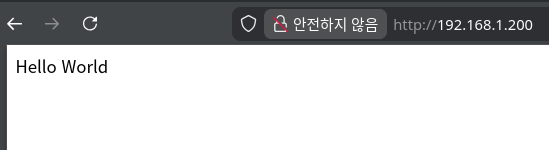 실제로 라우팅이 되는 것을 볼 수 있을 것이다.
다만, 유의할 점은, path를 지정하더라도 path rewriting을 자동으로 해주지는 않는 것이다.
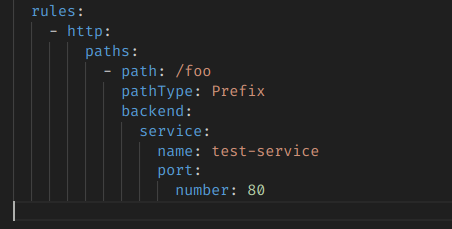
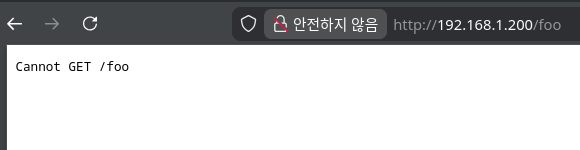 /foo로 들어왔으니, test-service로 넘겨버리지만, 실제 서버에는 /만 있고 /foo가 없어서 난 오류다.
애초부터 원본 서버에서 저 /foo 기반으로 받게 구현해놓거나, 별도 미들웨어 처리를 통해서 명시적으로 path rewriting을 해줘야 한다.
참조
https://docs.k3s.io/networking/networking-services
https://blog.naver.com/sssang97/223874796053